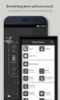
Easily manage and configure mobile APN profiles for improved data connectivity and network performance
Easily manage and configure mobile APN profiles for improved data connectivity and network performance
Vote (3 votes)
Program license Free
Developer Androizen
Version 7.35
Works under Android
Also known as APN Settings
Vote
(3 votes)
Developer
Androizen
Works under
Android
Program license
Free
Version
7.35
Also known as
APN Settings
Pros
- Extensive and up-to-date global APN database
- Quick search and filter options
- Favorites and sharing features
- Network status and data usage widget
- Community-driven updates keep information relevant
Cons
- Cannot directly modify system APN settings
- May come pre-installed, leading to user confusion
- Manual input still required on most devices
- Basic user interface with limited visual appeal
A comprehensive catalog of APN settings for mobile operators worldwide
Overview
APN Settings is a reference utility designed to help Android users find the correct Access Point Name (APN) configurations for a wide range of mobile network providers around the world. This app streamlines the process of locating essential network settings, which are crucial for enabling mobile data, MMS, and internet connectivity on compatible devices.
Features and Functionality
Vast Database of Network Settings
APN Settings provides an extensive compilation of APN configurations, organized by country and operator. Users can quickly browse APN settings based on their location or network provider, making it easy to access the data required to establish a connection, especially when swapping SIM cards or troubleshooting connectivity issues.
Search and Favorites
The application includes a search function that enables users to look up APN details by operator name. There’s also an option to mark frequently used APN configurations as favorites, allowing for speedy reference. Additionally, users can share these settings via social media or other apps through a built-in sharing feature.
Network Status and Data Monitoring
APN Settings incorporates tools for checking the current network status and monitoring data usage. The included widget offers real-time data tracking, providing users with valuable insight into their phone’s consumption patterns.
SIM Card Auto Search
Upon detecting a new SIM card, the app can auto-search for relevant APN settings, saving time and reducing the complexity of manual configuration.
Community Contribution and Updates
Users can report newly discovered or updated APN settings directly to the development team, helping to keep the database current and comprehensive for users in different regions.
User Experience
While APN Settings excels as a reference guide, it does not possess the ability to modify or apply APN settings directly within its interface. On many Android devices, adjusting APN configurations still requires navigating to the system’s network settings menu to enter details manually. This limitation can lead to frustration for users whose phones restrict manual changes or who expect a more integrated setup solution.
Feedback indicates that some users discover the app pre-installed, which may cause confusion about its origin or necessity, especially for those unfamiliar with Android system utilities. It primarily serves users needing guidance for setup rather than automatic configuration.
Performance
The app performs efficiently as a database of APN settings, with responsive search functions and low resource usage. It does not interfere with other processes or require excessive permissions. The interface is utilitarian, focusing on functionality over aesthetics, with straightforward navigation.
Conclusion
APN Settings is a practical tool for users needing access to APN configurations, particularly for travelers, device switchers, or those troubleshooting mobile connectivity. However, the inability to directly apply changes within the app and occasional ambiguity surrounding its installation can reduce its appeal for some. As a reference guide, it succeeds in delivering a comprehensive catalog of settings, but users seeking a one-click APN setup solution may need to look elsewhere.
Pros
- Extensive and up-to-date global APN database
- Quick search and filter options
- Favorites and sharing features
- Network status and data usage widget
- Community-driven updates keep information relevant
Cons
- Cannot directly modify system APN settings
- May come pre-installed, leading to user confusion
- Manual input still required on most devices
- Basic user interface with limited visual appeal